

 WizWorm RAT V4.0 – In-Depth Analysis, Features Overview & Cybersecurity Implications
Introduction to WizWorm RAT V4.0
WizWorm RAT V4.0 is a Windows-based remote administration tool that has gained attention within cybersecurity research communities due to its modular design, centralized dashboard, and wide range of system interaction capabilities. Tools of this category are commonly examined by security analysts, malware researchers, and blue-team professionals to better understand how modern remote threats operate.
 From a defensive standpoint, studying WizWorm RAT V4.0 helps organizations recognize attack patterns, persistence mechanisms, and post-compromise behaviors commonly observed in real-world cyber incidents.
Visual Interface & Dashboard Architecture
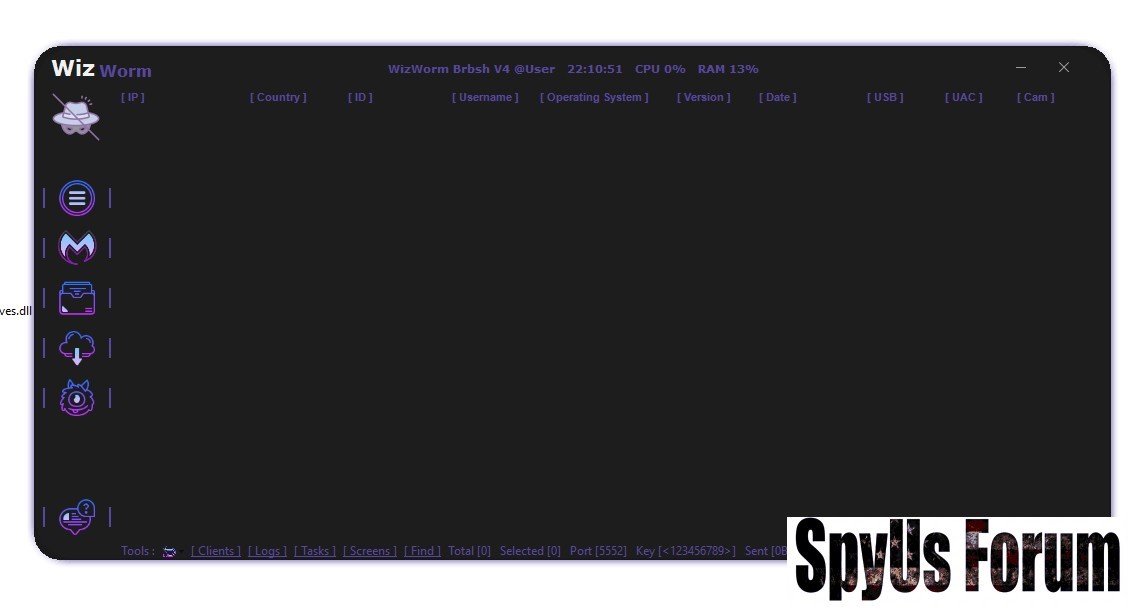
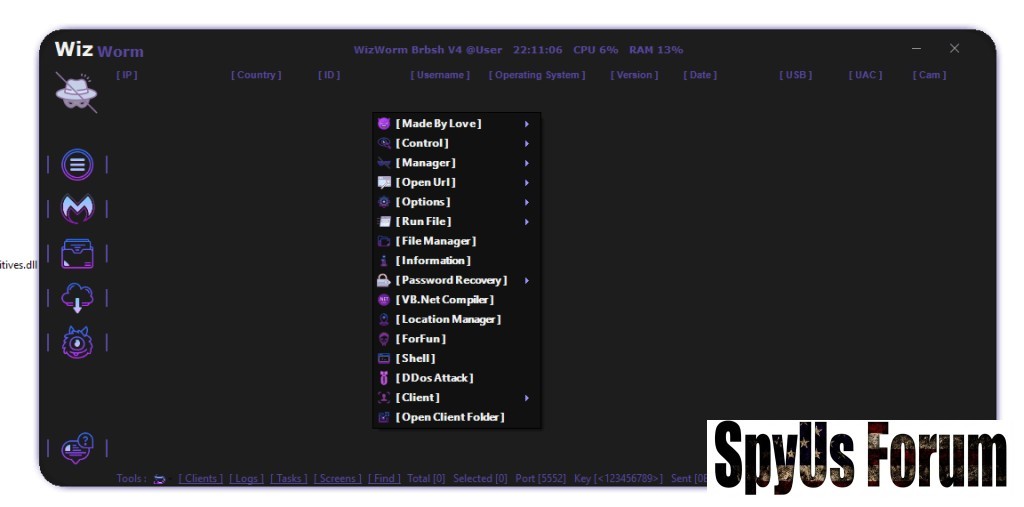
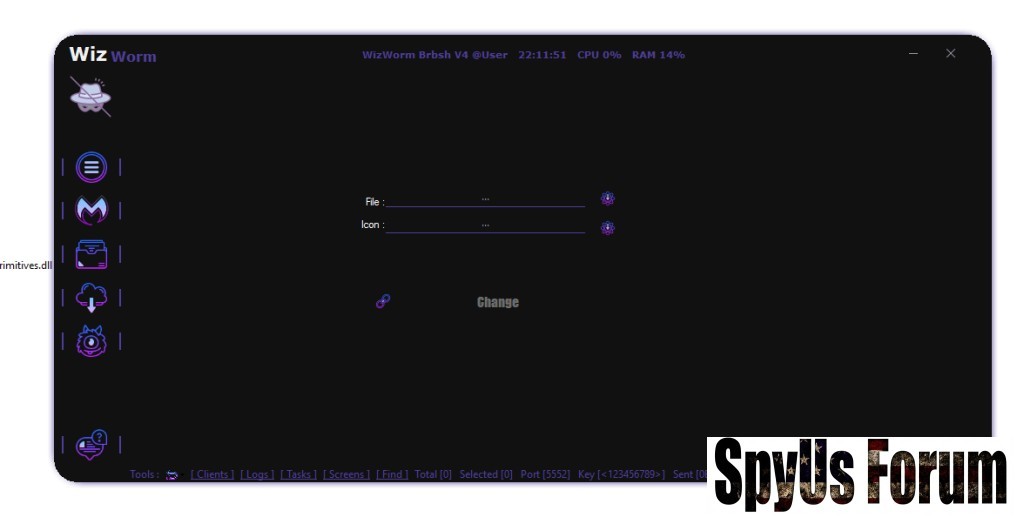
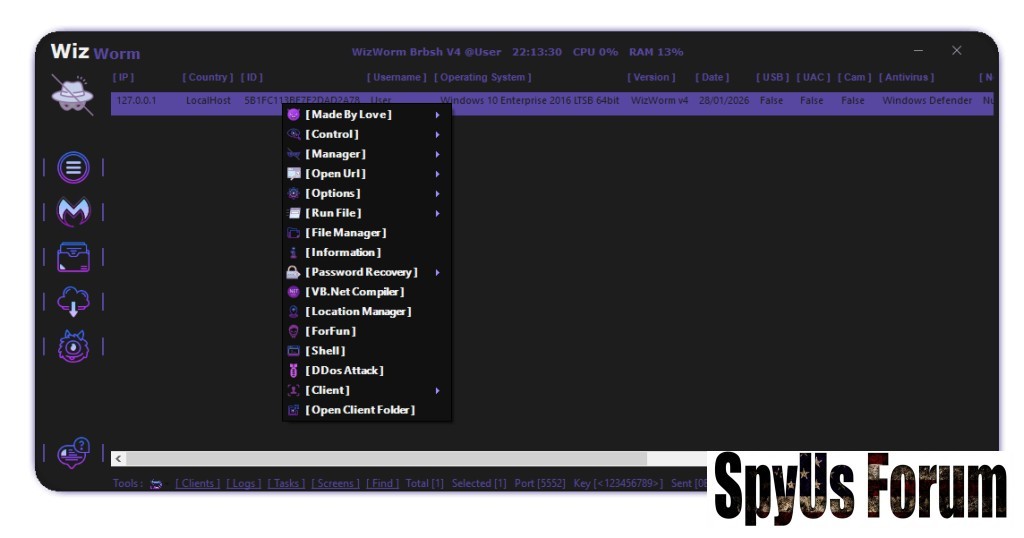
Based on the uploaded screenshots, WizWorm RAT V4.0 uses a dark-themed graphical control panel designed for centralized endpoint management. The interface displays:
- Connected client lists
- System metadata (IP, OS, version, date, status flags)
- Context-based right-click menus
- Modular control sections
Such dashboards demonstrate how attackers maintain situational awareness across multiple compromised endpoints. For defenders, this emphasizes the importance of endpoint visibility, log correlation, and real-time monitoring.
Client Management & Endpoint Visibility
One of the core components visible in WizWorm RAT V4.0 is the client management panel, which lists connected systems along with technical identifiers such as:
- IP address and country
- Operating system version
- User context
- Connection timestamps
- Security indicators (UAC, status, peripherals)
Understanding this capability helps security teams:
- Identify what system fingerprints attackers seek
- Detect unusual system enumeration behavior
- Improve endpoint telemetry policies
The interface menu suggests multiple system interaction capabilities grouped into logical sections such as control, shell access, task handling, and client operations.
 Security Perspective
Remote command execution and system interaction are among the highest-risk post-exploitation behaviors. Studying these capabilities helps defenders:
- Improve command-line monitoring
- Detect suspicious process spawning
- Correlate abnormal parent-child process relationships
WizWorm RAT V4.0 includes a file management component allowing remote interaction with system files and directories.
 Why This Matters for Defense
File-level access is commonly used for:
- Data discovery and exfiltration
- Payload staging
- System reconnaissance
- File integrity monitoring
- Least-privilege access controls
- Behavioral EDR alerts on unusual file access patterns
The tool visually indicates system information collection capabilities, including operating system data, user environment details, and configuration states.
Cybersecurity Value
This mirrors the reconnaissance phase of most attacks. By understanding this behavior, defenders can:
- Detect abnormal system queries
- Identify unauthorized environment mapping
- Reduce attacker dwell time through early alerts
The presence of recovery-oriented modules highlights the risk of stored credentials and sensitive data exposure.
Defensive Takeaways
Organizations should:
- Enforce password managers and credential vaults
- Disable insecure browser storage
- Adopt MFA and passwordless authentication
- Monitor access to credential-related system locations
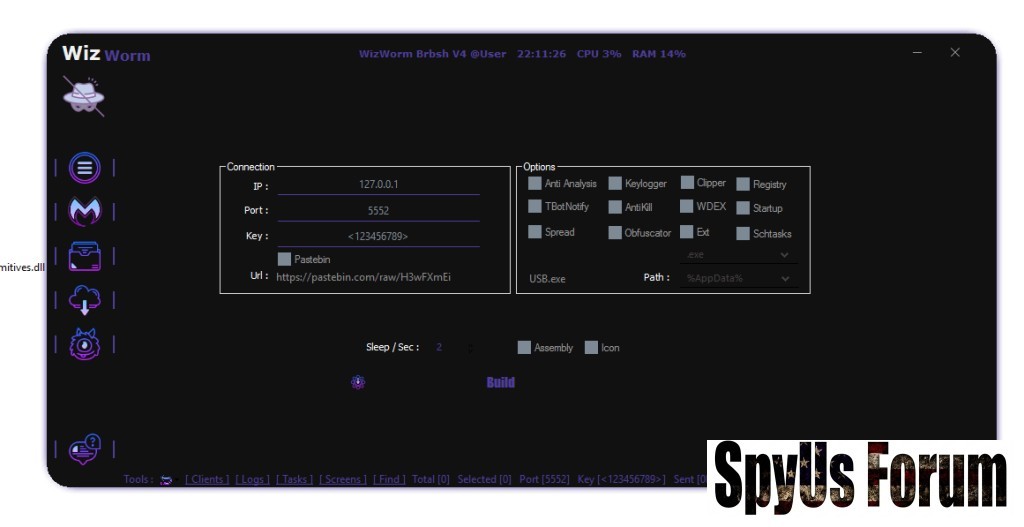
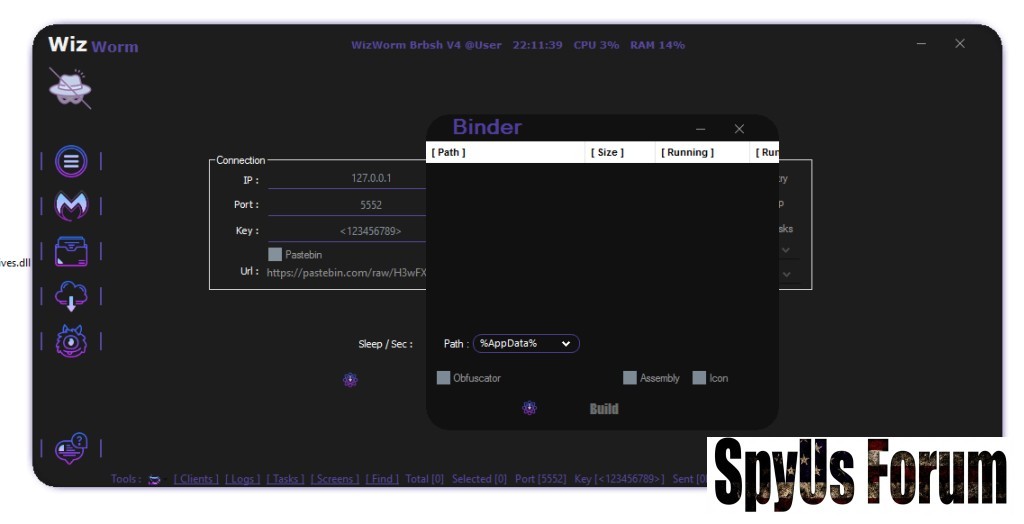
Configuration panels shown in WizWorm RAT V4.0 reference startup and execution behavior, which aligns with common persistence techniques seen in malware.
Security Implications
Persistence mechanisms are critical detection points. Defenders should monitor:
- Registry autorun entries
- Scheduled task creation
- Startup folder modifications
- Abnormal background services
The interface visually reflects centralized command communication through defined network parameters.
Blue-Team Benefits
This helps security teams:
- Design network anomaly detection rules
- Implement outbound traffic filtering
- Monitor unusual beaconing patterns
- Strengthen DNS and firewall policies
From a cybersecurity research perspective, analyzing tools like WizWorm RAT V4.0 offers several advantages:
- Threat Modeling – Understand attacker workflows
- Detection Engineering – Build better SIEM and EDR rules
- Incident Response Training – Improve playbooks and simulations
- Security Awareness – Educate teams on real-world threats
- Policy Hardening – Strengthen endpoint and network security policies
While technically sophisticated, tools like WizWorm RAT V4.0 pose serious risks when misused:
- Privacy invasion
- Data theft
- Unauthorized surveillance
- Legal and regulatory consequences
How Organizations Can Defend Against Similar RAT Threats
To protect against remote administration threats, organizations should implement:
- Advanced EDR/XDR solutions
- Application allow-listing
- Network segmentation and egress filtering
- Regular system patching
- User awareness training
- Continuous log monitoring and threat hunting
Conclusion
WizWorm RAT V4.0 represents a modern example of how remote threats centralize control, gather intelligence, and maintain persistence on Windows systems. When analyzed responsibly, it provides valuable insight into attacker behavior and strengthens defensive cybersecurity strategies.
Understanding such tools is not about misuse—it’s about building stronger, smarter, and more resilient security defenses.
Download Links:
[HIDE]
[/HIDE]
Attachments
-
 0769a50a323faef32890e7cad82e37f3.jpg58.2 KB · Views: 0
 -
 b56cce62866672bdaa4ee8d8078887c9.jpg56.8 KB · Views: 0
 -
 64a3ad1f05e2f2d724ea32afc6358cfb.jpg55.8 KB · Views: 0
 -
 d6b0a57f38d30786ed3db49cec136346.jpg41.7 KB · Views: 0
 -
 c4466d03e250a559040e1a47036264c6.jpg66.4 KB · Views: 0
 -
 784b3e5a34d2444ea760b52eff2b598c.jpg51.4 KB · Views: 0
