

 Table of Contents
You must be registered for see links
-
You must be registered for see links
-
You must be registered for see links
-
You must be registered for see links
-
You must be registered for see links
-
-
You must be registered for see links
-
You must be registered for see links
-
You must be registered for see links
-
-
You must be registered for see links
-
You must be registered for see links
-
You must be registered for see links
-
-
You must be registered for see links
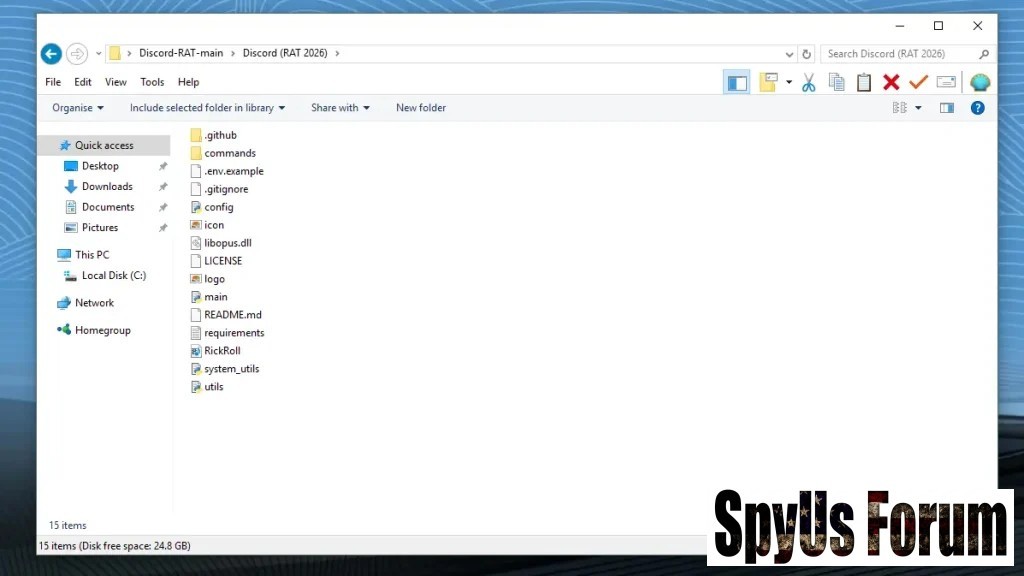 Remote System Control
- Execute commands remotely
This feature allows attackers to run commands directly on the infected system. They can open programs, execute scripts, or shut down the device without physical access. This level of control makes the victim’s system behave like a remotely controlled machine, enabling attackers to perform actions silently in the background. It also allows deployment of additional malware, increasing the severity of the attack. - Access and manage files
Attackers can browse files, copy sensitive documents, delete important data, or upload malicious content. This exposes personal and professional information such as passwords, financial records, and private files. File manipulation can also disrupt system operations, making this feature highly dangerous. - Control system operations
This includes managing processes, editing system settings, and disabling security tools. Attackers can ensure persistence by configuring the malware to run at startup. They may also terminate to avoid detection, making the system more vulnerable to further attacks.
- Microphone recording
Attackers can record audio from the victim’s environment, capturing conversations and sensitive information. This feature is especially dangerous in professional settings, where confidential discussions may be exposed. - Screen capturing
This allows attackers to take screenshots or record screen activity in real time. It helps them monitor user behavior, capture login credentials, and observe financial transactions. Even if passwords are not stored, they can be stolen when entered.
- Browser data collection
Attackers can collect cookies, browsing history, and autofill data. This information can be used to impersonate users or bypass login systems, increasing the risk of account compromise.
- Real-time data transfer
Data such as logs, screenshots, and credentials are sent instantly to the attacker. This enables quick exploitation and decision-making.
- User downloads a malicious file disguised as a legitimate application
- The RAT installs and runs silently
- Attacker gains remote control
Full System Compromise
Attackers gain complete control over the system, allowing them to manipulate files, install additional malware, and monitor activity continuously.
Data Theft & Privacy Loss
Sensitive information such as passwords, financial data, and personal files can be stolen and misused.
Persistent Backdoor Access
Some RATs maintain long-term access by hiding within the system and reinstalling themselves after removal attempts.
- Easy to use and deploy
- Widely shared in online communities
- Fast and reliable system
Allowed Uses
- Ethical hacking with permission
- Cybersecurity research
- Educational purposes
- Unauthorized access
- Data theft
- Surveillance without consent
How to Protect Yourself
Prevention Tips
- Avoid downloading unknown or suspicious files
- Use updated antivirus software
- Enable firewall protection
- Regularly monitor system activity
- Unusual system behavior
- Unknown background processes
- Sudden performance slowdown
Conclusion
Staying informed, practicing safe browsing habits, and using proper security tools are essential steps to protect against such threats.
FAQs
Yes, many variants include password extraction and data theft features.
Advanced security tools can detect suspicious activity, but some versions try to evade detection.
Through malicious downloads, fake software, and phishing links.
Only for authorized and ethical purposes.


